Legal Disclaimer & Responsible Use Notice
This guide is strictly intended for legal, authorized security research, ethical penetration testing labs, CTF competitions, and bug bounty programs (e.g. HackerOne, Bugcrowd). Performing security testing against target systems without explicit prior written consent is illegal. Always adhere to strict responsible disclosure standards.
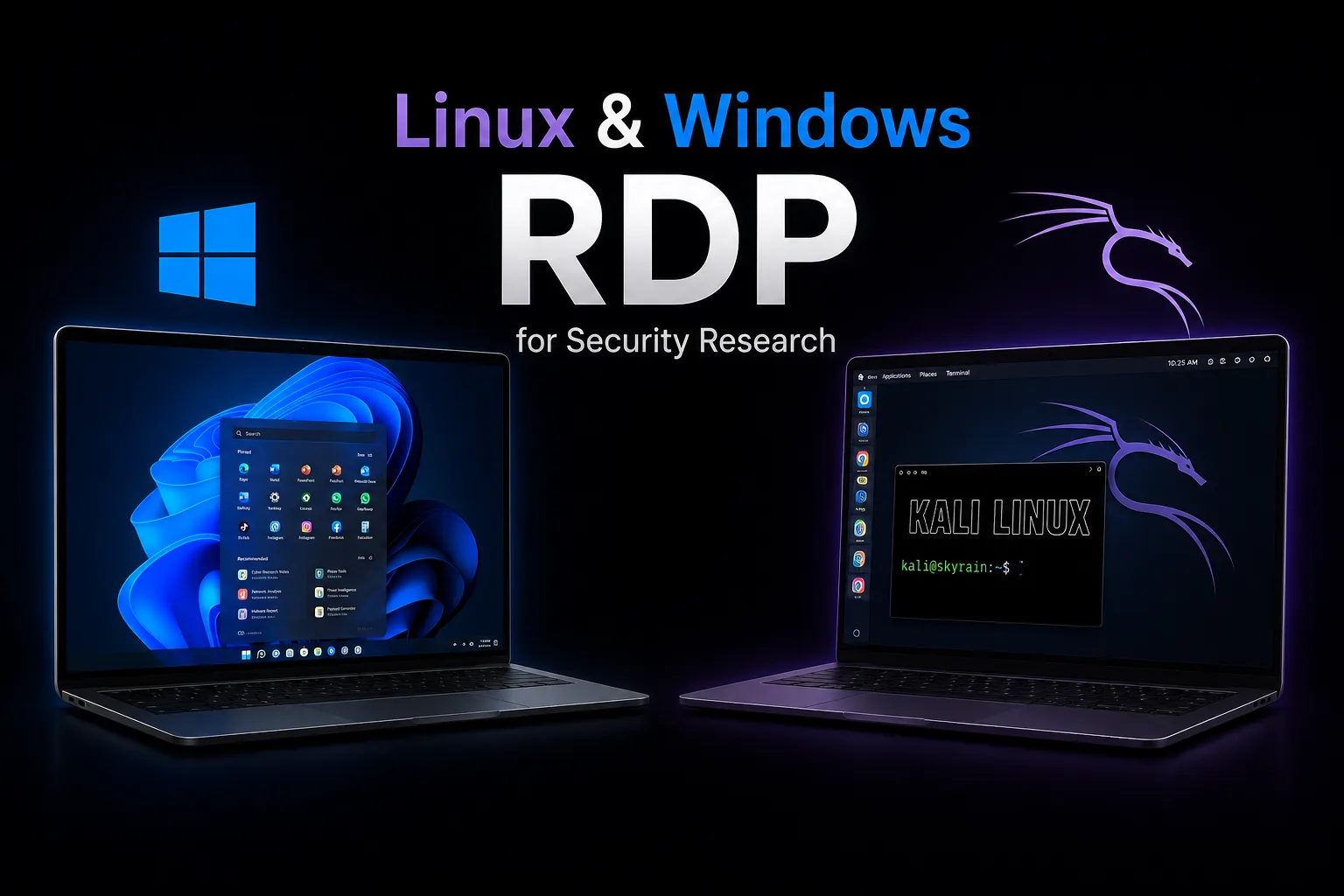
Security analysts, reverse engineers, and bug bounty hunters frequently require isolated environments to run vulnerability tools, execute payload sandboxing, and analyze software behavior. Utilizing an isolated remote Windows RDP or Kali Linux RDP instance provides the perfect balance of network separation, full root administrator control, 24/7 scanning continuity, and instant snapshot resets.
How to Get a Remote Security Research Server on SkyRainCloud
Getting your remote security lab running takes under 60 seconds on SkyRainCloud. Here is the exact process to order and deploy your server:
1. Choose Your Operating System Environment
For pre-configured penetration testing with XFCE GUI desktop and 600+ pre-installed security tools, select our Kali Linux RDP Service. For native Windows malware analysis and active directory testing, select our Windows RDP Hosting Service.
2. Select Your Resource Tier (VPS or Bare Metal)
Choose standard KVM VPS for lightweight scanning, or upgrade to a / Bare Metal Dedicated Server if you need 100% dedicated physical CPU cores or plan to run custom Proxmox VE hypervisors.
3. Receive Instant Root & Administrator Credentials
Your server is provisioned automatically with complete 100% Root (sudo) access on Linux or Administrator privileges on Windows, complete with static IP address, SSH keys, and RDP desktop access credentials.
Full Root Access & Full Administrator Privileges Guaranteed
We believe ethical hackers, penetration testers, and security analysts must have total, unhindered control over their operating environment. That is why SkyRainCloud guarantees 100% Full Root Access (sudo) on all Linux & Kali Linux instances, and Full Administrator Privileges on all Windows RDP servers across all VPS and Bare Metal Dedicated plans.
Linux & Kali Linux: 100% Root (sudo) Access
UID 0 / sudo su- •Raw Packet Sockets: Create
SOCK_RAWsockets for Nmap SYN stealth scans, packet crafting (Scapy), and Masscan high-speed sweeps. - •Custom Kernel Drivers: Load custom kernel modules (
insmod,modprobe) and network pcap capture libraries. - •IPTables & UFW Rules: Configure granular packet filtering, port forwarding, and custom VPN tunnel interfaces (WireGuard/OpenVPN).
- •Docker & Tool Repositories: Install custom Docker containers, Python exploit frameworks, and Kali Bleeding-Edge repositories.
Windows RDP: Full Administrator Access
NT AUTHORITY\SYSTEM- •Process Attaching & Debugging: Attach x64dbg, Process Hacker, and WinDbg to active system processes for binary reverse engineering.
- •Antivirus & Firewall Control: Disable or configure Windows Defender real-time protection and firewall rules for payload sandboxing.
- •Npcap Driver Installation: Install Npcap network drivers for full Burp Suite HTTP interception and Wireshark traffic analysis.
- •Active Directory Administration: Install Active Directory Domain Services (AD DS) and PowerShell RSAT modules for enterprise lab testing.
Available Operating Systems for Security Testing
Kali Linux 2026.x (Pre-configured RDP)
Pre-loaded Pentesting OSThe premier Linux distribution for ethical hackers. Includes pre-installed XFCE GUI, xrdp remote desktop server, and over 600 penetration testing tools (Nmap, Metasploit, Burp Suite, Wireshark, SQLmap, John the Ripper, Hydra, Gobuster). Available on our dedicated Kali Linux RDP page.
Windows 10 / 11 Pro & Server 2022
Native Windows RDP DesktopNative Windows desktop environment with full Administrator rights. Essential for Windows malware analysis, x64dbg debugging, Process Hacker, PowerShell automation, and Active Directory testing on our Windows RDP Hosting page.
Ubuntu 24.04 LTS & Debian 12
Clean Linux BaseClean Linux server foundation designed for custom Docker container deployment, Python exploit script development, and lightweight headless network scanning engines.
Proxmox VE (Hardware Virtualization)
Requires Dedicated ServerRun both Kali Linux and Windows Domain Controller virtual machines simultaneously on bare metal hardware with custom isolated VLAN subnets, IPMI hardware access, and custom ISO mounts. Requires a or Bare Metal Dedicated Server.
Windows RDP Server vs. Linux Server: An In-Depth Comparison
Choosing the right server operating system is critical for the efficiency and success of your IT operations, development pipeline, and security research workflows. Below, we explore the differences between Windows RDP Servers and Linux Servers, examining various aspects such as user interface, performance, cost, scalability, and security.
Overview of Both Server Platforms
Windows RDP Server is part of the Microsoft Windows Server family, specifically optimized for remote desktop access and centralized administration. It is widely used in corporate environments to provide a centralized platform where users can remotely access Windows desktops and applications with ease.
Linux Server, on the other hand, is a broad term covering various Linux distributions (such as Kali Linux, Ubuntu, Debian, CentOS, and AlmaLinux) used for server purposes. Known for its stability, rock-solid security, and open-source flexibility, Linux is favored for web servers, database servers, application backends, and security research environments that demand robustness and reliability.
Key Operating System Differences Breakdown
1. User Interface (GUI vs. CLI)
Windows RDP Server: Offers a full Graphical User Interface (GUI) that is immediately familiar to most desktop users, making server administration straightforward for those accustomed to Windows environments.
Linux Server: Typically managed via a fast command-line interface (CLI) over SSH, though desktop GUIs (such as XFCE or GNOME with xrdp on Kali Linux) are readily available. It requires more technical expertise but offers unparalleled control and automation scripting capabilities.
2. Performance and Resource Efficiency
Windows RDP Server: Generally requires more CPU and RAM resources to run its background graphical services and visual elements, which can lead to higher hardware resource requirements.
Linux Server: Renowned for its extreme efficiency and ability to run on minimal hardware resources. Headless Linux servers consume negligible baseline RAM, leaving maximum compute power available for your applications and scans.
3. Cost & Licensing Model
Windows RDP Server: Involves proprietary OS licensing fees for Windows Server as well as Client Access Licenses (CALs) for multi-user RDP sessions.
Linux Server: Most Linux distributions (including Kali Linux, Ubuntu, Debian) are completely open-source and free of OS licensing fees, dramatically reducing ongoing hosting costs on SkyRainCloud.
4. Scalability & Cloud Deployment
Windows RDP Server: Highly scalable for enterprise user pools, though operational costs scale upward with user licensing requirements.
Linux Server: Unmatched cloud scalability, powers over 90% of global web infrastructure, cloud containers (Docker/Kubernetes), and high-performance computing clusters without software licensing bottlenecks.
5. Security Architecture & Hardening
Windows RDP Server: Continuously updated by Microsoft to patch security vulnerabilities. Requires strict RDP port security, Network Level Authentication (NLA), and strong Administrator password policies.
Linux Server: Considered inherently secure, particularly in command-line mode. Its modular permissions structure, SSH key pair authentication, and granular kernel security make it exceptionally resilient against network threats.
Summary Comparison: Windows RDP Server vs Linux Server
| Comparison Dimension | Windows RDP Server | Linux Server (Kali / Ubuntu) |
|---|---|---|
| Primary Interface | Native Windows GUI Desktop | Command Line (CLI) & optional XFCE GUI RDP |
| Resource Footprint | Higher (Requires 2GB+ base vRAM) | Minimal (Runs efficiently on 1GB+ vRAM) |
| OS Licensing Cost | Proprietary Microsoft License | 100% Free & Open-Source |
| Remote Access Protocols | RDP (Port 3389) | SSH (Port 22) & xrdp / VNC |
| Best Research Use Case | Windows malware analysis, Active Directory lab | Kali pentesting, Nmap, Metasploit, Web API audit |
Frequently Asked Questions
How do I get a Kali Linux RDP instance on SkyRainCloud?
You can get a pre-configured Kali Linux RDP instance directly from our dedicated Kali Linux RDP service page. Choose your plan tier, and your server deploys in 60 seconds with full root sudo permissions.
Do I get full root / administrator access on security research servers?
Yes, 100% full root access (Linux/Kali) and Administrator access (Windows) are provided on all SkyRainCloud VPS, RDP, and Dedicated Server plans. You have complete freedom to install custom kernel drivers, raw socket tools, and firewall rules.
What hardware is required to run Proxmox VE for dual-OS labs?
To run Proxmox VE with multi-OS hardware virtualization (e.g. running Kali Linux and a Windows Domain Controller simultaneously with isolated VLAN subnets), you need a or a Bare Metal Dedicated Server.
What is the difference between Windows RDP Server and Linux Server?
Windows RDP Server offers a graphical user interface (GUI) familiar to Windows desktop users, while Linux Server is primarily CLI-driven (or lightweight XFCE/xrdp). Linux is more resource-efficient and open-source, whereas Windows provides native support for Windows binary debugging and Active Directory testing.
Provision Your Security Research Lab
Deploy high-performance Linux (Kali/Ubuntu) or Windows RDP instances with full root admin access and 1 Gbps connectivity on SkyRainCloud.
High-Frequency Windows Cloud & Algorithmic Trading Infrastructure
Algorithmic Forex trading (MetaTrader 4/5, Expert Advisors), Indian equity broker APIs (Zerodha Kite, Angel One SmartAPI, Upstox), and multi-user Tally Prime accounting require 100% dedicated resources, zero reboot disruptions, and unrestricted Administrator GUI access. SkyRainCloud delivers dedicated KVM Windows slices with licensed Windows Server 2022/2025 and 1 Gbps unmetered connectivity.
NSE / BSE Latency
Direct colocation peering in Mumbai delivers sub-2ms ping to Indian financial brokers, minimizing trade execution slippage.
Unmetered Port
Unrestricted high-speed network uplink enables fast browsing, file transfers, and uninterrupted multi-terminal trading.
Dedicated KVM GUI
Full administrator rights to install custom EAs, Python bots, Chrome instances, VPNs, and accounting databases.
Architecture Comparison: SkyRainCloud Windows VPS vs Shared RDP
| Evaluation Criteria | SkyRainCloud Windows KVM | Standard Shared RDP Services |
|---|---|---|
| Account Isolation | 100% Dedicated Windows Server VM (Full Admin) | Shared Multi-User Windows Session (Restricted Rights) |
| Broker Latency | Sub-5ms to Mumbai Financial Exchanges (NSE/BSE) | 120ms - 220ms (Overseas Servers in US/Europe) |
| Disk Throughput | PCIe Gen4 Enterprise NVMe (7,000 MB/s) | Shared SATA SSDs with High Disk Queue Lengths |
| Reboot & Stability | 24/7 Continuous Execution (No Shared Session Drops) | Frequent Admin Restarts Causing Bot Crashes & Lost Trades |
| Billing & Invoicing | Flat ₹999/mo with Instant UPI & 18% GST Invoice | Forex-Billed USD Services without Indian GST Credit |
Deploy India's Highest Performance Cloud Infrastructure
Instant automated activation in under 60 seconds with instant UPI / Net Banking & 18% GST invoices.
📚 Recommended Reading
🚀 Explore Our Services
- • Windows RDP Hosting — Full admin access from ₹999/mo
- • Forex Trading VPS — Low-latency Windows VPS from ₹999/mo
- • KVM VPS Hosting — Intel Xeon & AMD EPYC from ₹649/mo
- • Hosting Tools & Calculators — Minecraft RAM Calculator, VPS Builder, Server Status Checker